• Home
  • Help with Ready Returns | Carbon2Cobalt

 Ready Return Help

FREQUENTLY ASKED QUESTIONS:

I completed my return on the portal, but I can't find the label. How do I find it?
RETRIEVAL INSTRUCTIONS:
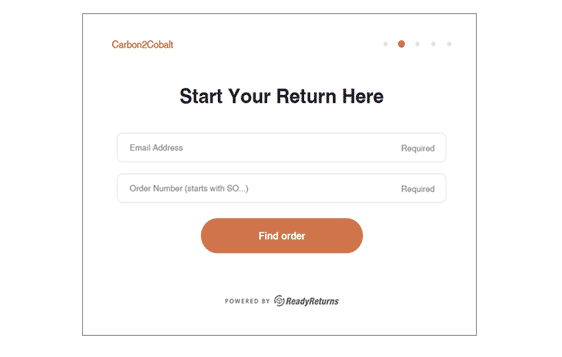
  • Click here to enter the Ready Returns port.
  • Once at this page, enter the email address used on your sales order. Enter "SO" (must be all-caps) followed by the rest of the order number.Click "Find Order".
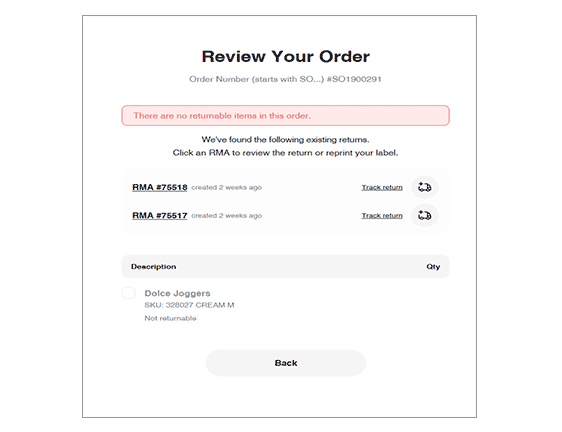
  • This brings you to the REVIEW YOUR ORDER screen.
    Any RETURN LABELS you have already created will be visible here.
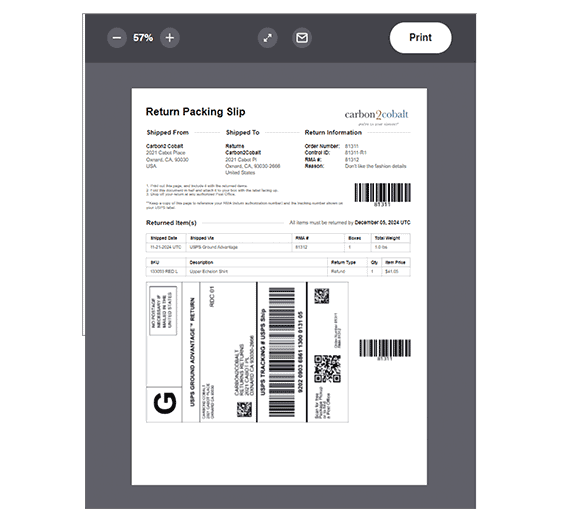
    Click on the existing RETURN (RMA) to view the shipping label to print, or click the envelope icon to receive the RETURN LABEL via email.

  • How do I track the status of my return?

    TO TRACK YOUR RETURN'S STATUS:
  • To track the status of your return, click on TRACK RETURN next to the truck icon (below) to view transit/delivery information.